Import Products (CSV Bulk Upload)
Bulk OperationImport multiple products at once using a CSV file. This feature supports both PPS and POD products with comprehensive validation.
Import Process
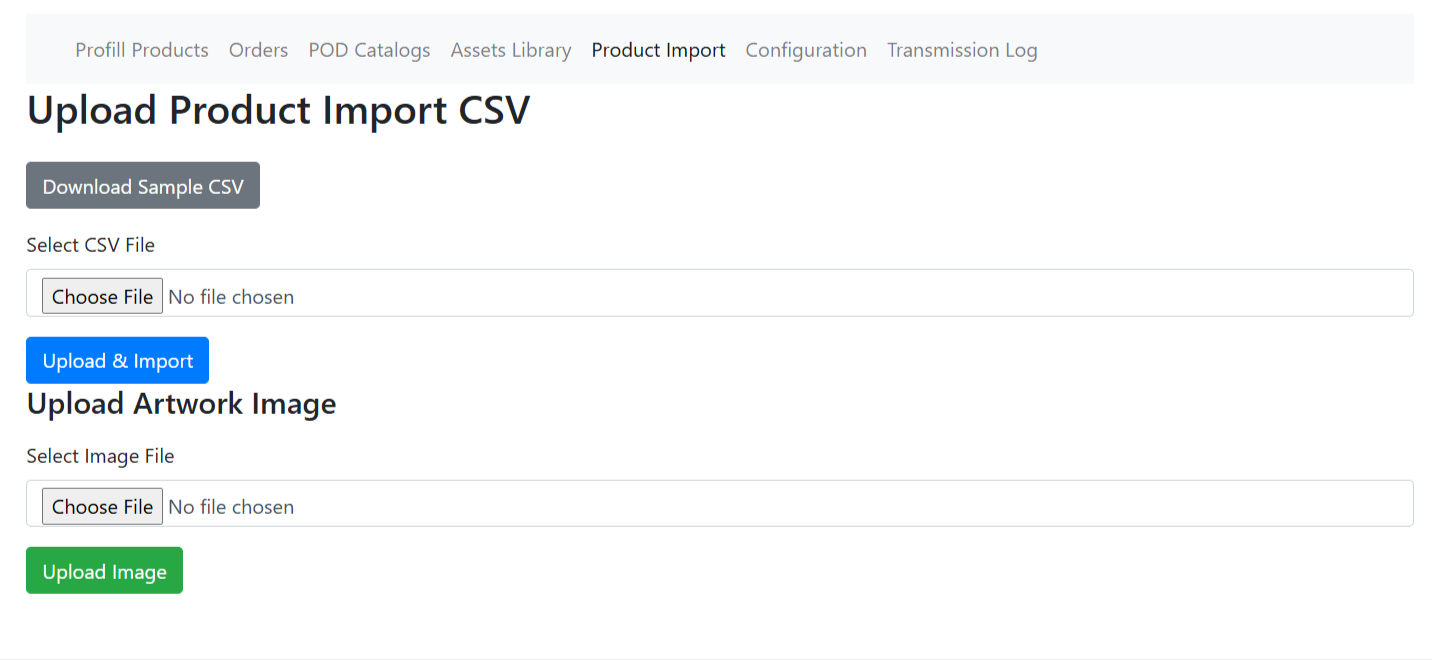
- Navigate to "Import Products" page
- Click "Download CSV" to get the template
- Fill in your product data following the required format
- Drag and drop your CSV file (max 5MB) or click to upload
- System parses and validates all products automatically
- Review validation data in the preview table
- Review and fix any required columns before import
- Click "Import Products" to complete
File Requirements
Format Requirements
- CSV format only
- Maximum file size: 5MB
- UTF-8 encoding recommended
- Must include all required column headers
CSV Structure
- Product Header Row: Contains Bigcommerce_Product_ID
- Variant Rows: Following rows are variants
- Location data embedded in variant rows
Universal Product Requirements
All products (both PPS and POD) must have:
- Required Bigcommerce Product ID — Product must exist in your Bigcommerce store
- Required At least one variant with a valid color option
- Required Matching Customer SKUs — SKUs must match Bigcommerce variant SKUs exactly
- No duplicate SKUs within same product
POD Product Requirements
what = TRUE
Product Level:
- Required Profill SKU (required)
- Imprint/Product Number (required)
- At least one imprint location (required)
Each Location Must Have:
- Location Name (e.g., FRONT, BACK, LEFT CHEST)
- Imprint Method (e.g., SCREEN_PRINT, EMBROIDERY)
- Art File (full file path or URL)
Each Variant Must Have:
- Profill SKU (Customer SKU)
- Color (required)
- Size (optional)
- Weight (required, numeric value)
- Weight UOM (optional — defaults to "lb")
- UPC Code (optional — defaults to "0")
- HTS Code (optional — default to "0")
PPS Product Requirements
what = FALSE
Product Level:
- Product Profill SKU (Optional: if variants have SKUs)
- No imprint locations required
Each Variant Must Have:
- Customer SKU
- Color (required)
- Size (optional)
- Weight (required, numeric value)
- Weight UOM (optional — defaults to "lb")
- UPC Code (optional — defaults to "0")
- HTS Code (optional — default to "0")
Validation & Error Handling
Automatic Validation
The system automatically validates your CSV and provides detailed feedback:
- Ready to Import — Product is ready to import
- Skipped/Invalid — Shows specific validation errors
- Missing Count — Products with missing items
- Option to skip products with errors and import valid ones
- Option to skip/remove invalid products before import
Common Import Errors
Product not found in Bigcommerce store
Solution: Verify the Bigcommerce Product ID exists in your store. Products need to be created in Bigcommerce before importing configurations.
Product already Imported
Solution: This product was previously configured. Go to Products page to review the existing configuration.
No matching variants found
Solution: Customer SKUs in CSV must exactly match SKUs of Bigcommerce product variants. Check for typos or missing variants.
Duplicate Profill SKU
Solution: Each variant must have a unique Profill SKU within the same product. Change duplicate SKUs to unique indices.
Import Results
After importing, you'll see detailed results:
- Success Draft — Products imported successfully
- Error Draft — Products that could be improved
- Warning Count — Products imported with some variants missing
- Detailed table showing failed products with specific error reasons
- Quick link to view imported products in the Products page
CSV Sample Structure
Example: POD Product with 2 Variants
| Bigcommerce_Product_ID | Design_Name | Customer_Sku | Profill_Sku | Color | Size | l |
|---|---|---|---|---|---|---|
| gid://Bigcommerce/Product/7893241422765 | POD Variant With Location | K280-POD-W | K286 POD W | — | — | 1 |
| — | — | 7619-Nvy-p | A788-00023-S | Nvy | S | — |
| — | — | 7619-Nvy-p | A788-00026-S | Nvy | 2XL | — |
How to Read These Tables:
- Row 1 (Product Header): Contains product-level info (Bigcommerce ID, Design Name, Profill SKU, Model, import details). For POD products, include what=TRUE, imprint method, location, and art file URL.
- Row for Variants: Standard row with Customer SKU, Profill SKU, Color, Size, M4 SKU. For POD products, include variant artwork per location in the same row.
- Column Order: Both POD and PPS products use the same CSV columns in the same order.
Example: PPS Product with 1 Variant
| Bigcommerce_Product_ID | Design_Name | Customer_Sku | Profill_Sku | Color | Size | Wt | In |
|---|---|---|---|---|---|---|---|
| gid://Bigcommerce/Product/7963586385198 | Microwave Matte Ceramic Mug | — | — | — | — | — | — |
| — | — | 15970-SMpr | A788-00023 | Mug | — | — | — |
Important
- Always download the official sample CSV template from the Import Products page
- Subsequent rows contain product-level information
- Subsequent rows contain variant-level information
- Always use Unicode (UTF-8) encoding in your CSV
- Customer SKUs should match your Bigcommerce product variant SKUs