Managing Orders
AutomatedThe Orders page tracks all orders containing Profill-managed products and provides complete order lifecycle management from creation to fulfillment.
Order Search & Filtering
Easily find orders using the search functionality:
- Search by order number, customer name, or tracking number
- Filter by Profill Order ID or queue ID
- Time filter: View orders from last 30 days (or custom range)
- Sort by order date, status, or amount
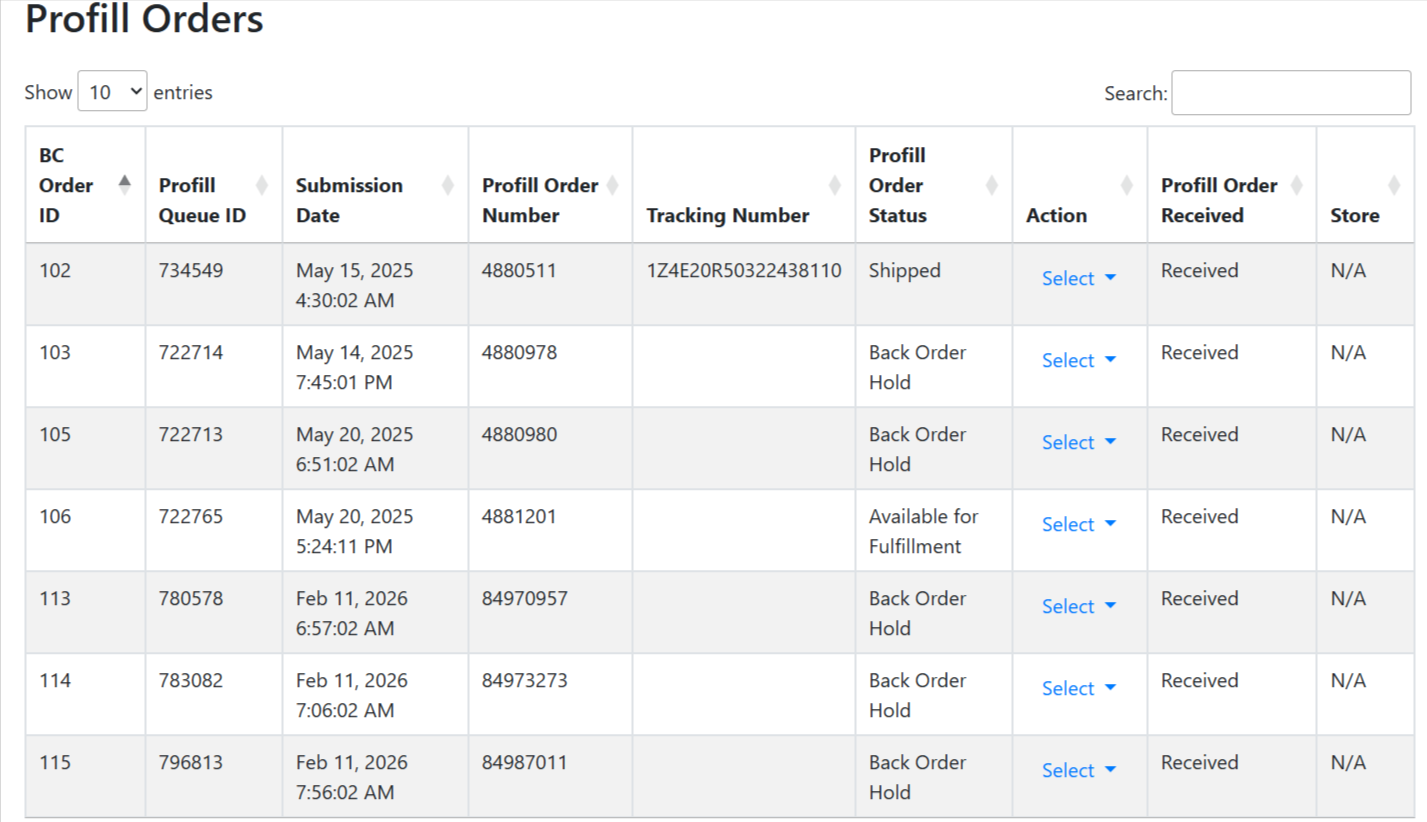
How Order Management Works
-
Automatic Order Detection:
- Orders appear automatically when a product is sold
- Webhook triggers when customer places order
- System validates if order contains Profill products
- Environment matching (dev/production)
- SKU verification and auto-creation
-
Order Information Captured:
- Bigcommerce Order ID & Number (clickable links)
- Order Source (Web, POS, Mobile App)
- Customer Information (name, contact)
- Shipping & Billing Addresses
- Line Items with quantities, pricing, and product types
- Order Total (in your shop's currency)
-
Status Updates: Order status updates as it moves through Profill fulfillment
-
Fulfillment & Tracking: Tracking information automatically added to Bigcommerce order
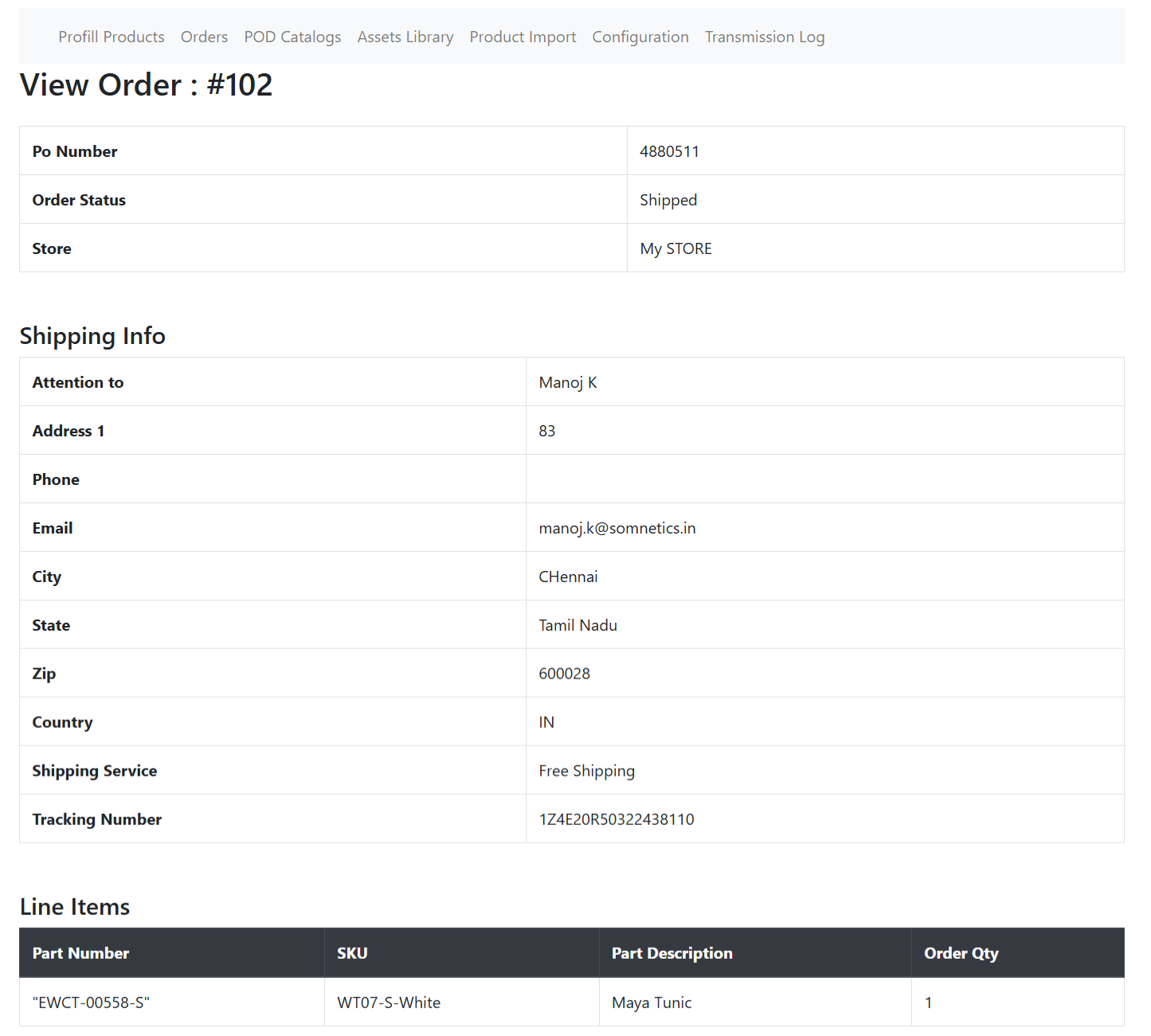
Order Status Lifecycle
Not Send
Order Send
Available For Fulfillment
Pull Ticket Printed
Shipped
Cancelled
Order Validation:
Before sending to Profill, ensure all line items show "Ready For Order"
status and shipping address is complete.
Order Actions
- "Send Order To Profill": Submit new order to Profill system
- "Synchronize Order": Refresh status and tracking from Profill